
How to Create DEB ID in IGNOU – Step by Step Guide [2026]
How to create DEB ID in IGNOU — are you stuck at the admission form because it’s asking for a DEB ID?
Or maybe you’ve heard it’s mandatory but don’t know how to create it?
You’re not alone.
Most students face confusion while applying for IGNOU admission because they don’t understand:
- What DEB ID is
- Why it is required
- How to create it step by step
So before you proceed with your admission, let’s clear everything in a simple way.
👉 If you’re planning to apply, also check IGNOU Admission Process so you don’t miss any step.
Now let’s start from the basics.
What is DEB ID?
DEB ID (Distance Education Bureau ID) is a unique identification number required for students taking admission in any UGC-approved ODL or online programme.
It is created only once and used for:
- IGNOU admission
- Other distance universities
- Online degree programmes
👉 Think of it as your official identity for distance education.
Why DEB ID is Mandatory for IGNOU?
Now the important question — why is it required?
UGC has made DEB ID compulsory to:
- Track student enrollment
- Maintain transparency
- Avoid duplicate admissions
- Ensure quality in distance education
👉 Without DEB ID, your IGNOU admission form will not be accepted.
So you must create it before applying.
Before You Create DEB ID (Important Requirement)
Before creating your DEB ID, you must have:
👉 ABC ID (Academic Bank of Credits ID)
ABC ID stores your academic credits digitally and is linked to your DEB ID.
If you don’t have it yet, create it first.
👉 You can also understand full admission steps here
How to Apply for IGNOU Admission Online
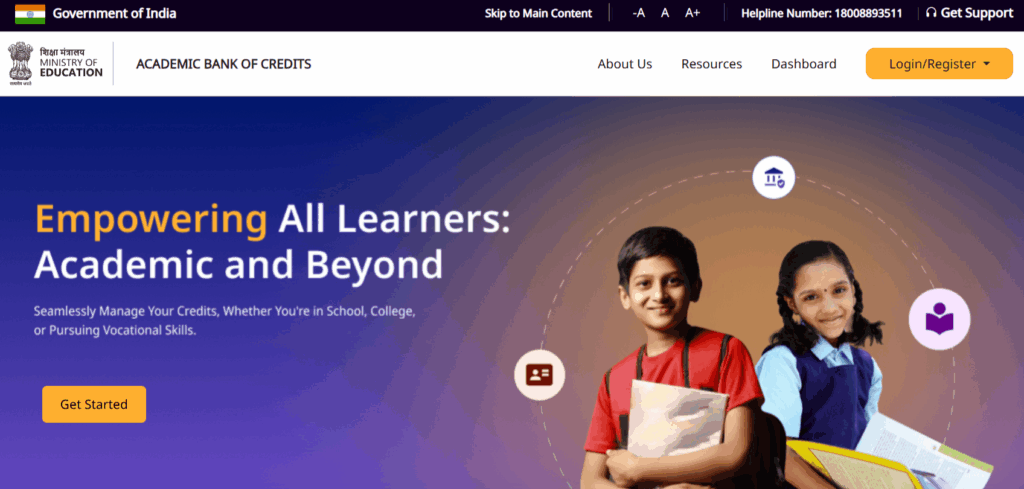
How to Create DEB ID (Step-by-Step Process)
Now let’s come to the main part.
Follow these steps carefully.
Step 1: Visit DEB Portal
Go to the official portal:
👉 https://deb.ugc.ac.in/StudentDEBId
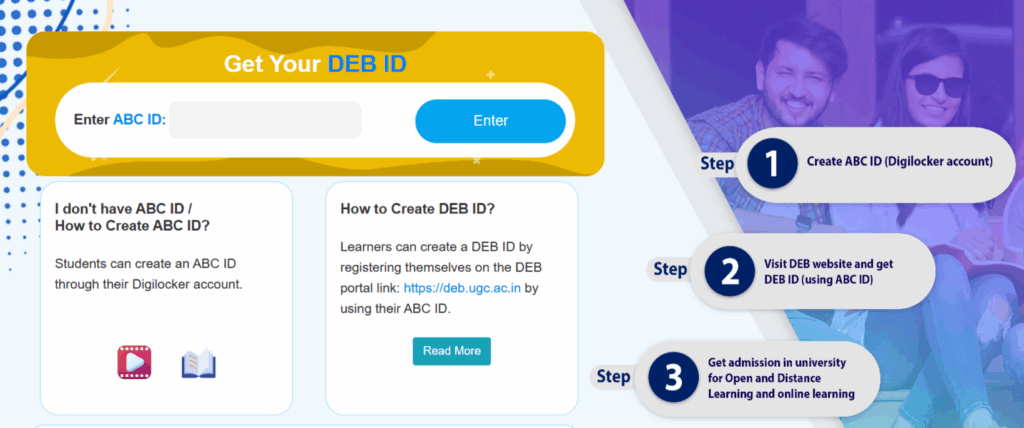
Step 2: Enter ABC ID
- Enter your ABC ID
- Make sure it is correct
👉 Without ABC ID, you cannot proceed
Step 3: Fill Personal Details
Enter:
- Full Name
- Mobile Number
- Email ID
⚠️ Important:
Use the same details that you will use in your IGNOU admission form.This ensures consistency and avoids errors during validation.
Step 4: Submit and Verify
- Click on submit
- Your details will be verified
- Your DEB ID will be generated instantly
👉 Save it safely — you’ll need it during admission
Note it down and keep it safe – you will need to enter this ID while filling your university admission form.
When Do You Need DEB ID?
You need DEB ID at the time of filling your admission form.
When you apply through IGNOU portal, it will ask for:
👉 DEB ID for validation
If your ID is not valid, your form will not be submitted.
Common Problems While Creating DEB ID
Many students face issues here.
Let’s fix them quickly.
DEB ID Not Generated
- Check ABC ID is correct
- Try again after some time
Mobile or Email Not Matching
- Use same details as ABC ID
Portal Not Working
- Try during non-peak hours
Where to Use DEB ID in IGNOU?
Once generated, you will use DEB ID in:
- IGNOU admission form
- Online programme applications
- Distance learning courses
👉 After that, you can continue your process like:
- Filling form
- Uploading documents
- Paying fees
Need Help in creating DEB ID?
If you face any issues while generating your DEB ID, don’t worry! You can get support from:
- Your nearest IGNOU Regional Centre
- Your Study Centre
- Or email/contact details provided on the UGC-DEB portal
They will assist you in resolving any technical or procedural issues.
Need Help with IGNOU Admission?
If you’re still confused or stuck at any step, don’t worry.
👉 Get help here: IGNOU Student Help
You can get help with:
- DEB ID creation
- Admission form
- Course selection
Final Tips Before You Begin
- Make sure your ABC ID is active and verified
- Double-check your personal information (name, email, mobile) while filling the DEB form
- Use the same details in your admission form to avoid mismatch errors
- Keep a screenshot or print of your DEB ID for future reference
Final Thoughts
So now the question is — are you still confused, or ready to create your DEB ID?
Because without this step, your admission process will stop.
But once you create it, everything becomes easy.
So don’t delay.
Create your DEB ID now and complete your IGNOU admission smoothly.
🔗 Click here to create DEB ID Now

IGNOU Assignment Submission Deadline (Latest Update for January & July Sessions)

Is It Compulsory to Attend IGNOU Classes? (2026 Guide)

FEG 01 Important questions
About Author

IgnouStudentZone
The person behind IGNOU student Zone is blogger by passion. His qualifications include B.E. Computers, MBA in Marketing, Google Certified in Digital Marketing.